


Project planning and delivery overview
Keep the project scope, manager, client, budget, start and end dates, and estimated hours together. Review delivery progress, open tasks, and upcoming deadlines from one project overview.
Turn plans into everyday work with NimuHR. Bring projects, employee tasks, milestones, deadlines, time tracking, and workload together so everyone knows what to do next.
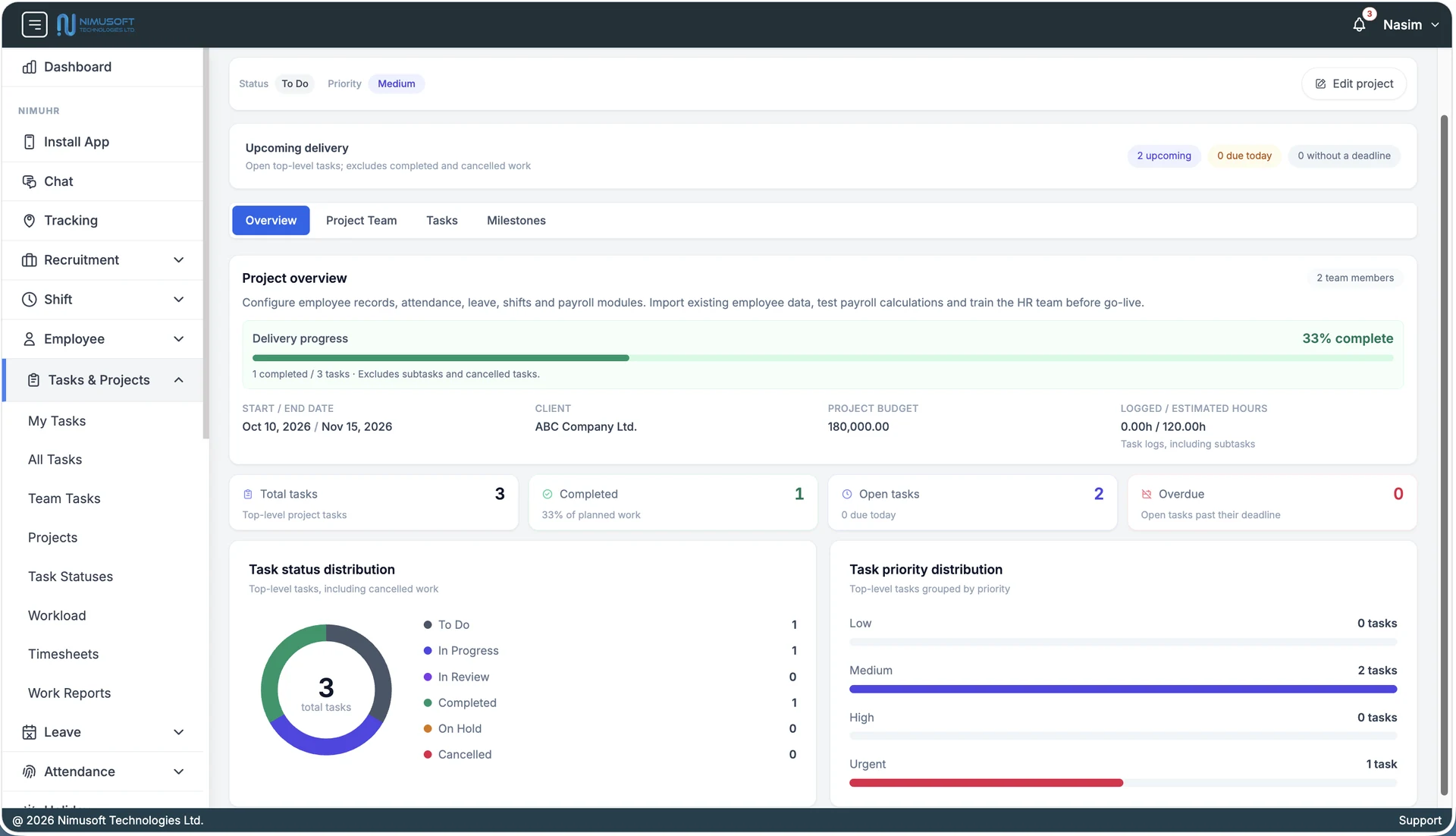
Plan delivery and manage daily work in the same HR workspace, with employee ownership, time records, and progress always in context.
Keep the project scope, manager, client, budget, start and end dates, and estimated hours together. Review delivery progress, open tasks, and upcoming deadlines from one project overview.
Build project teams from employee records and assign work to the people responsible. Give employees a personal task list and managers a view of team tasks.
Break larger work into tasks and subtasks, set due dates, and choose Low, Medium, High, or Urgent priority. Track work through To Do, In Progress, In Review, Completed, On Hold, and Cancelled stages.
Group tasks around project milestones and review upcoming, due-today, and overdue work. Keep delivery dates visible alongside the work needed to reach them.
Connect tasks to their prerequisites so teams can see what needs to happen first. Use recurring schedules for work that repeats across daily operations.
Record time against tasks with timers or manual entries, review timesheets, and compare logged hours with estimates. Keep project effort visible alongside delivery progress.
Review employee workload and availability before assigning more work. Help managers distribute tasks with a clearer picture of team capacity and scheduling constraints.
Review completed and open work, task status and priority distribution, and recorded effort. Keep work reports, comments, and project context available for follow-up.
Give your team a shared plan, clear assignments, and a practical way to review progress as work moves forward.
Clear ownership
See who is responsible for each task and how their work contributes to the project.
Visible delivery
Review milestones, upcoming work, and overdue tasks before deadlines are missed.
Practical capacity planning
Use workload and employee availability to make better assignment decisions.
Effort alongside progress
Compare logged and estimated hours while tracking the work that has been completed.
Best for
HR and operations teams, internal project teams, and service businesses that need employee task management, delivery checkpoints, workload visibility, and recorded effort in one place.
How projects, employee tasks, time tracking, and delivery progress fit together in NimuHR.
Explore project setup, employee assignments, milestones, timesheets, workload, and delivery reporting with our team.