

Your internet can pause. Your restaurant should not.
Orders, cart actions and essential counter work remain available through the local desktop experience. When connectivity returns, NimuPOS automatically resumes synchronization with the cloud.
NimuPOS Restaurants is a fast desktop and cloud POS built for the realities of restaurants in Bangladesh—busy counters, live kitchens, flexible payments, unreliable connections, and managers who need control from anywhere.
NimuPOS combines a dependable desktop selling experience with automatic cloud synchronization and a robust ERP, so every team sees the information they need without slowing down service.
Orders, cart actions and essential counter work remain available through the local desktop experience. When connectivity returns, NimuPOS automatically resumes synchronization with the cloud.
One connected flow keeps the counter, kitchen and management team aligned.
Powerful enough for operational control, simple enough for a new cashier to understand quickly.
Build carts, change quantities, add notes, apply discounts and collect payment from one focused screen.
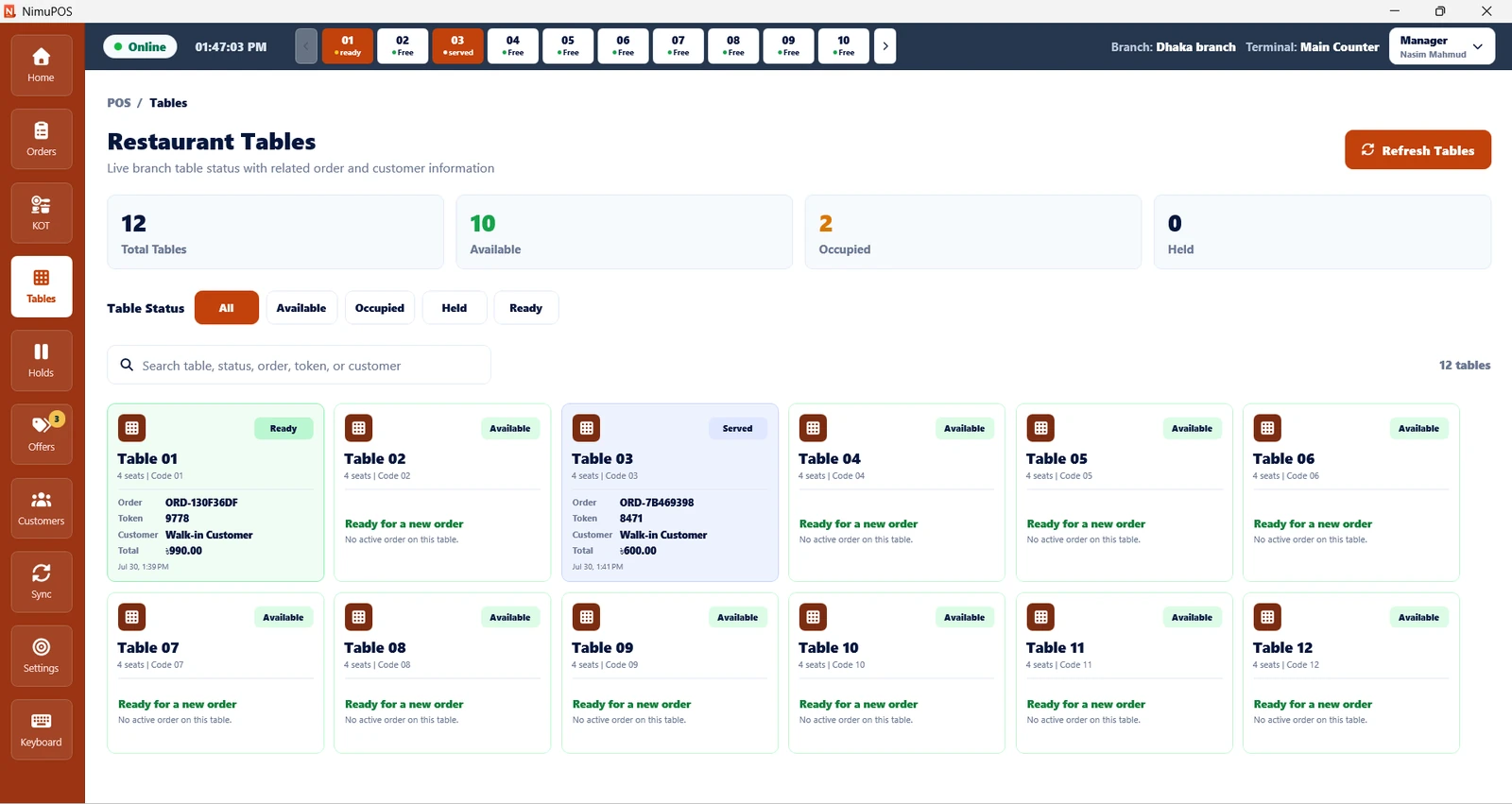
See available, occupied, ready, served and held tables with linked order and token details.
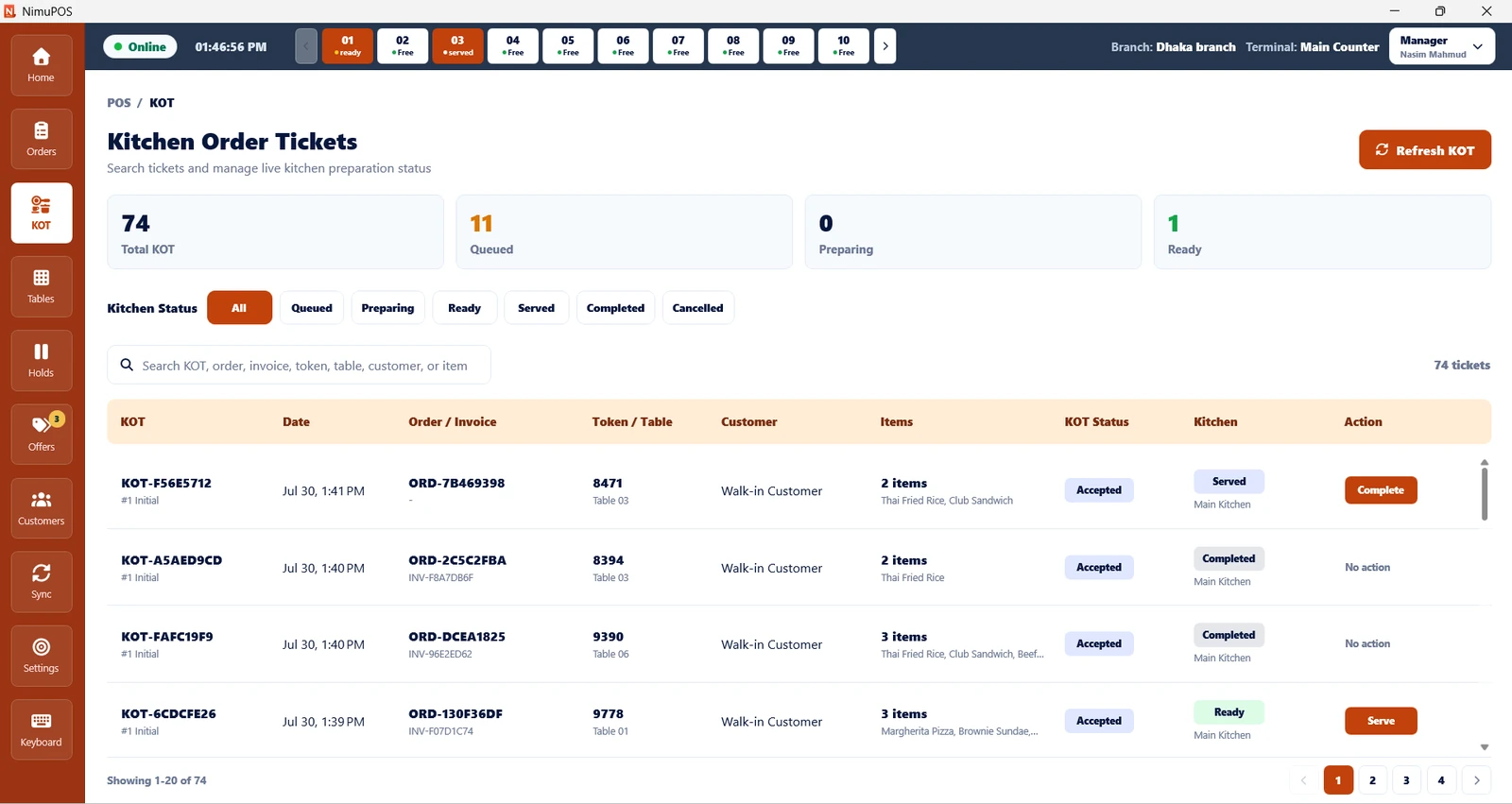
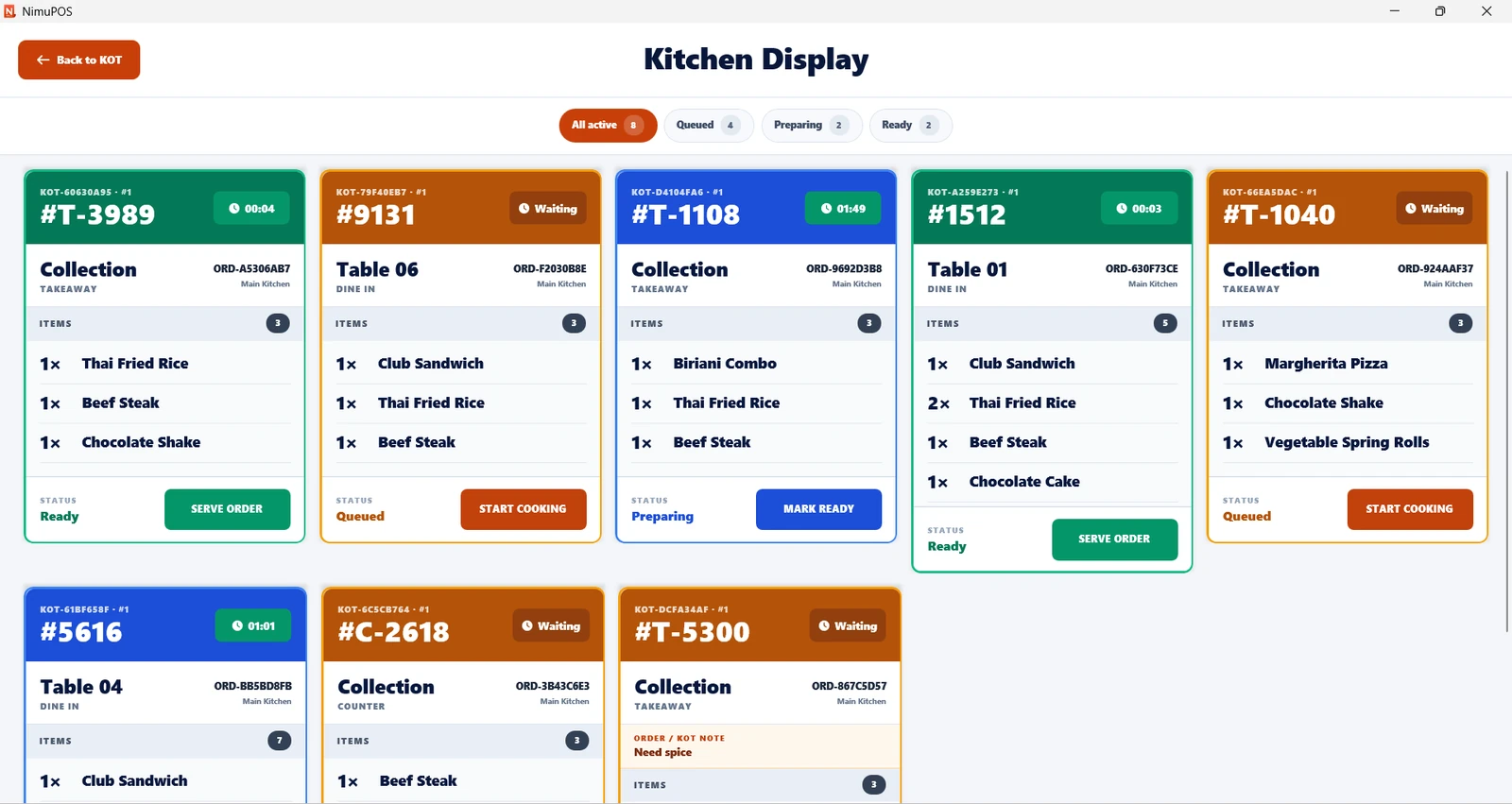
Queue, prepare, ready, serve and complete kitchen tickets with clear status ownership.
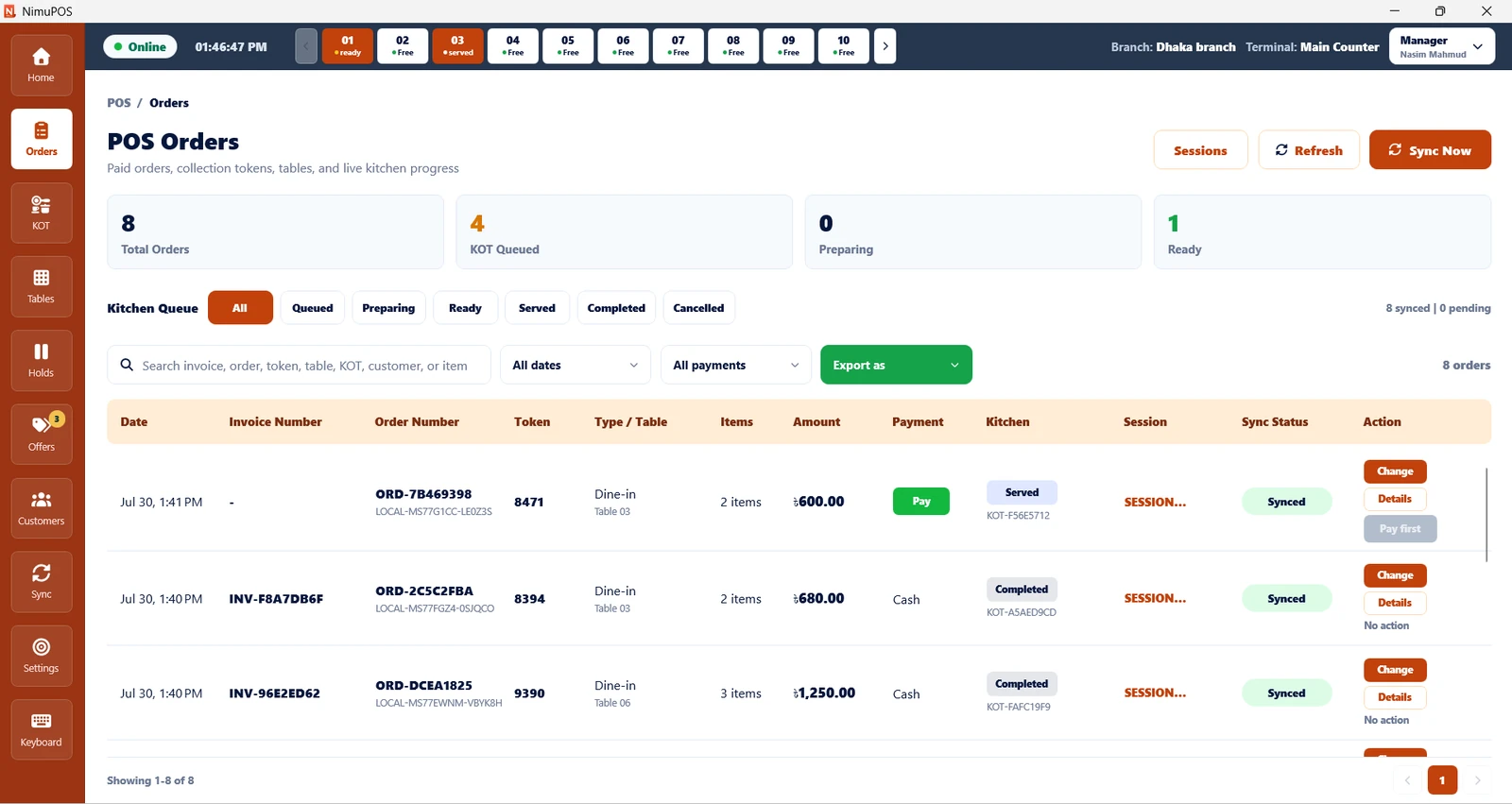
Track paid and unpaid orders, invoices, tokens, kitchen progress, payments and register sessions.
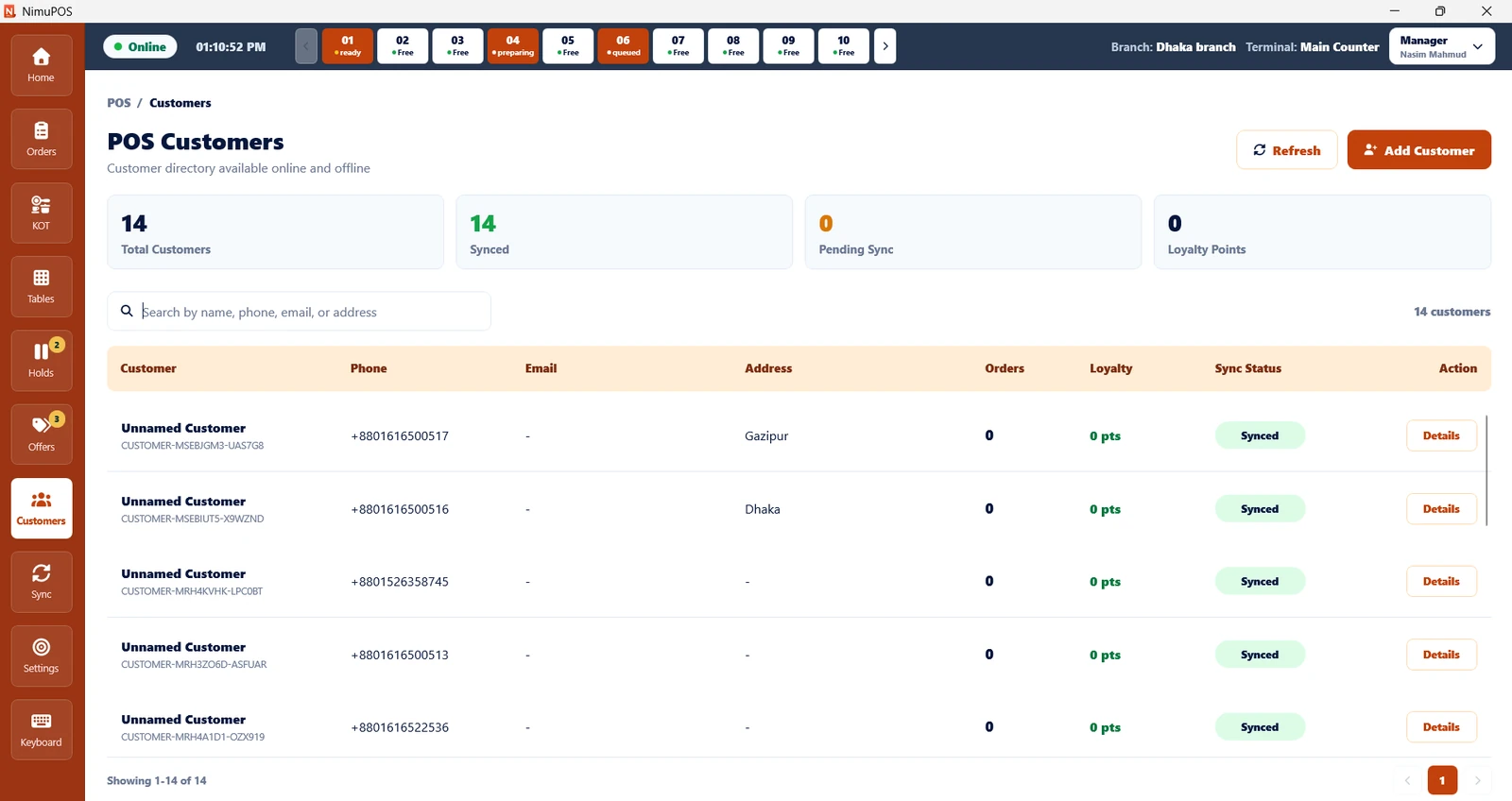
Build a customer directory, recognize repeat guests and manage loyalty points online or offline.
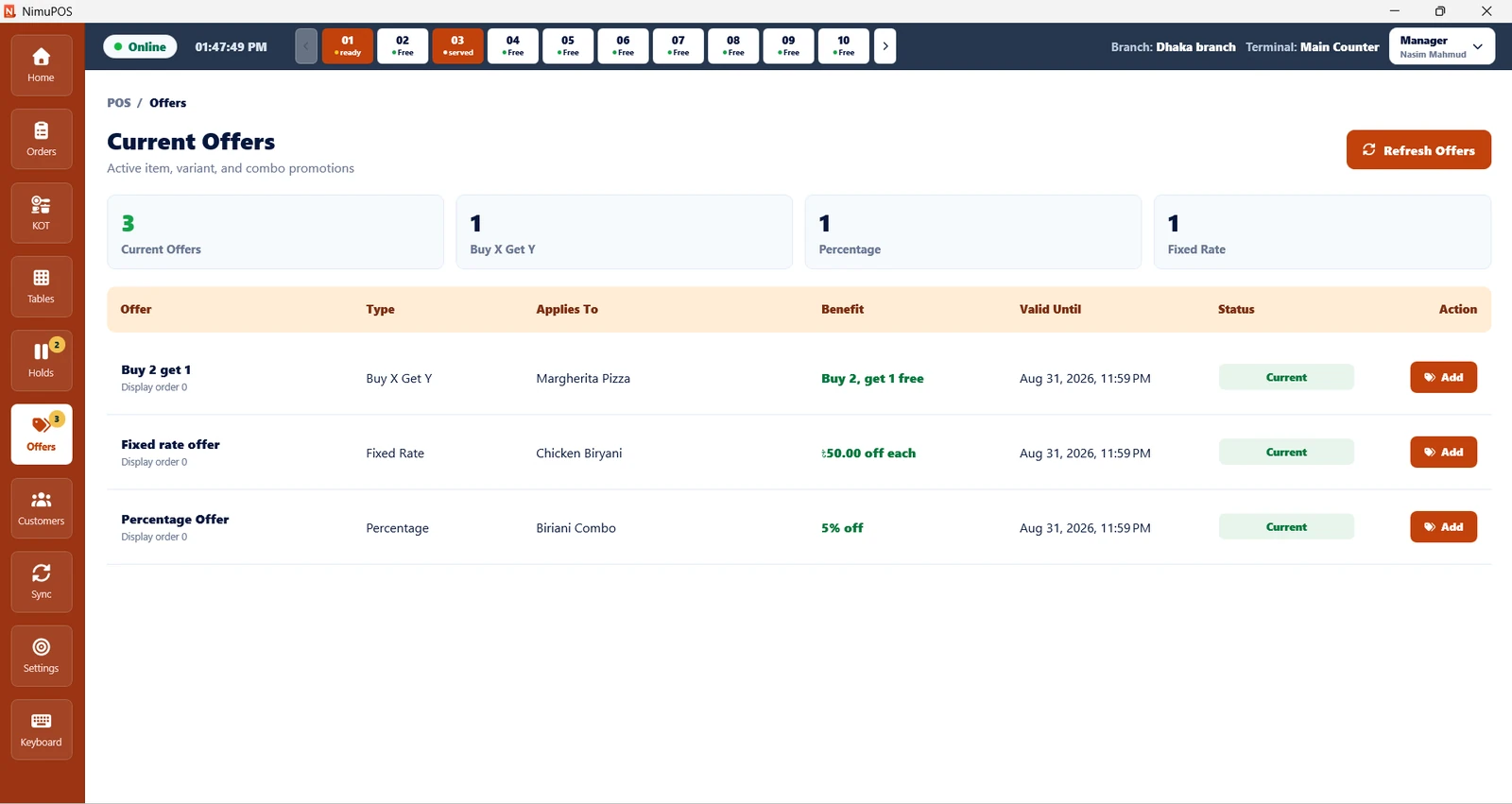
Run Buy X Get Y, percentage and fixed-rate promotions across items, variants and combos.
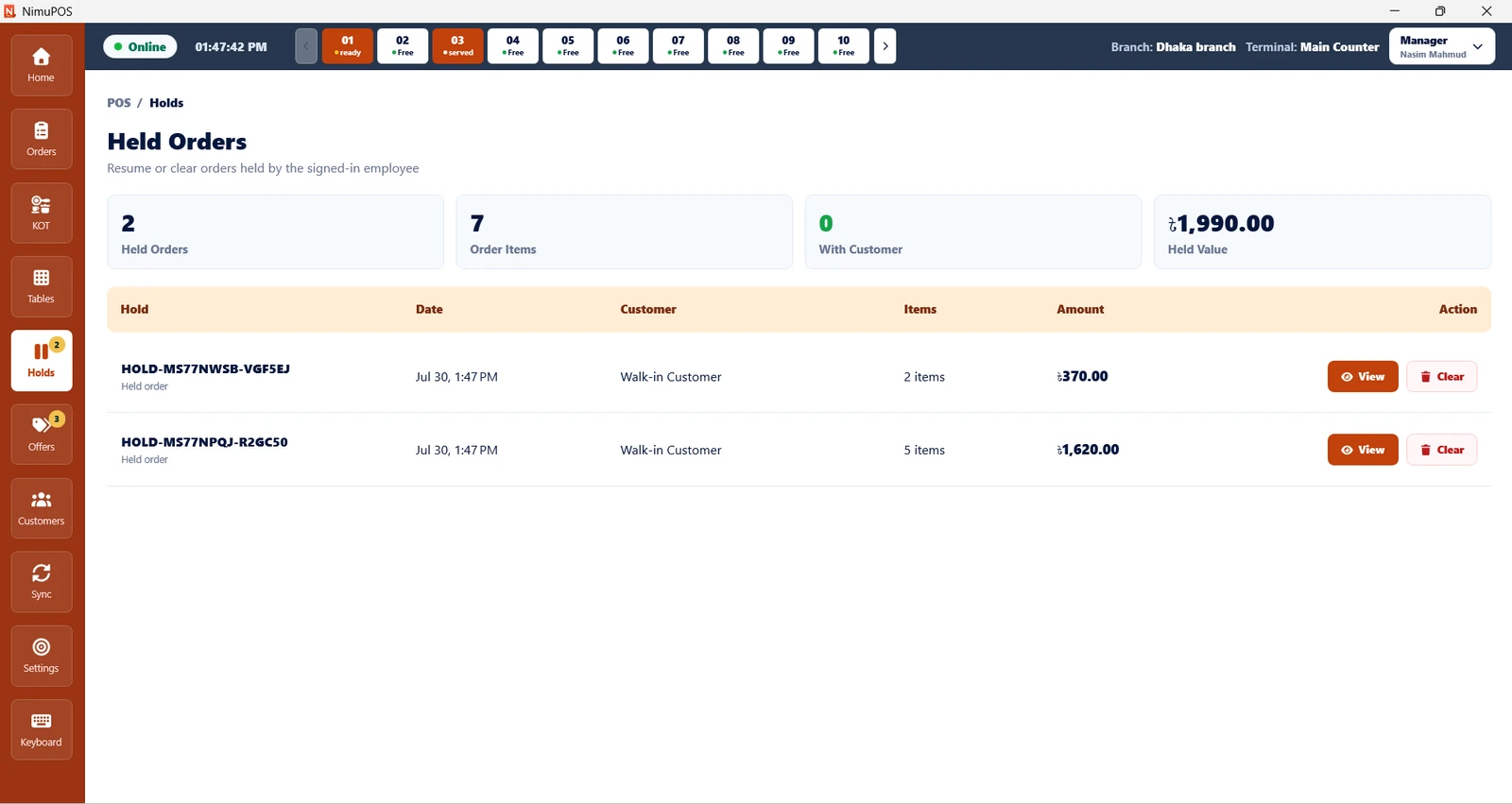
Pause a sale safely, serve the next customer and resume the original cart without rebuilding it.
Handle cash, cards, bKash, Nagad, more channels and split bills from the same checkout.
Manage corrections against the original order history with clearer references and accountability.
Put popular choices near the cashier and move through categories, combos and addons faster.
Large touch targets and keyboard-friendly actions support both modern displays and existing PCs.
Visible sync states help staff work confidently while NimuPOS moves local records to the cloud.
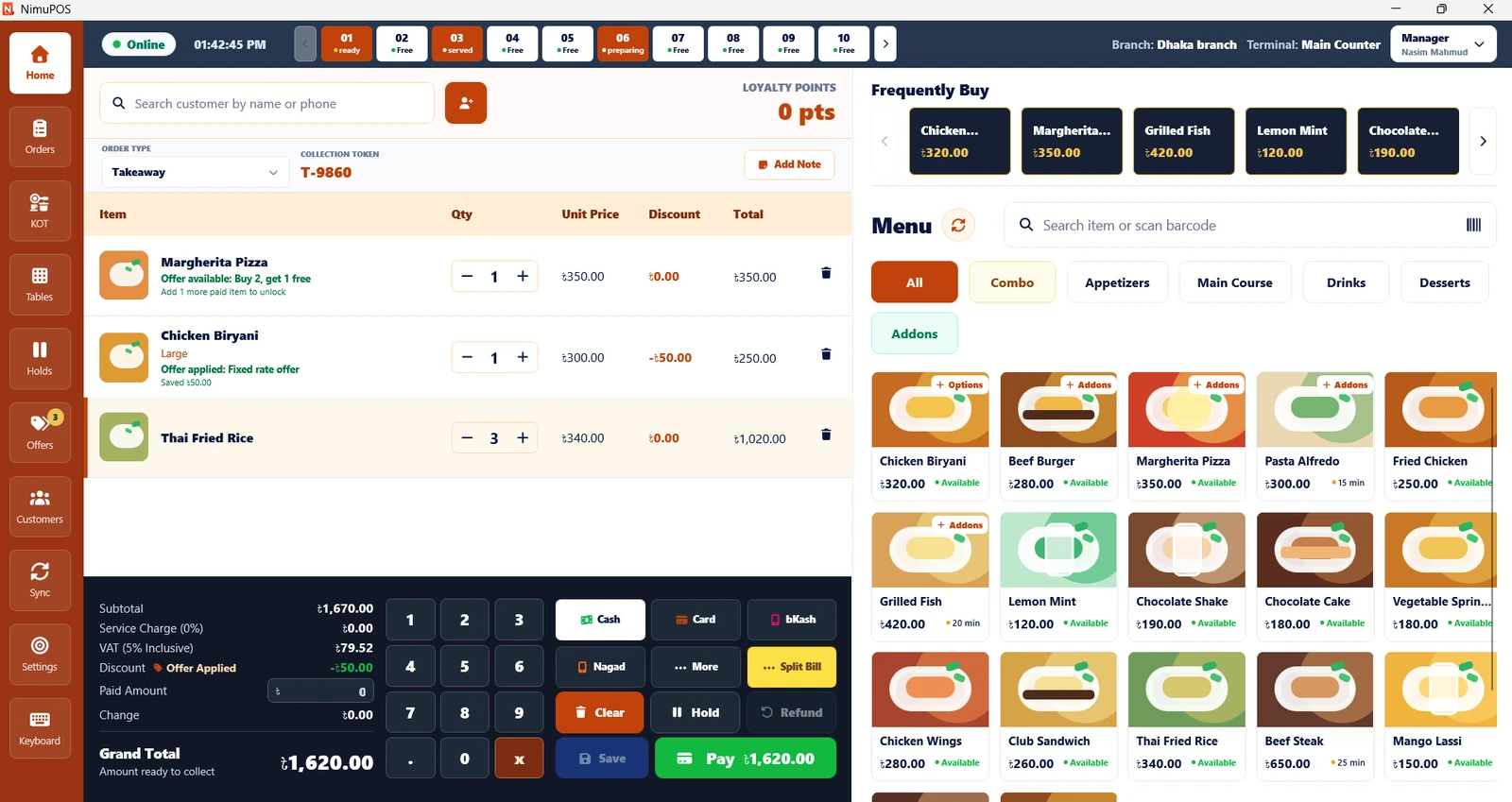
These are real NimuPOS screens—not abstract mockups. Each workspace keeps the next action visible and removes unnecessary steps.
Checkout workspace
Customer search, order type, cart, offers, menu, frequently bought items, payment keypad and table context stay together. The cashier spends less time navigating and more time serving.
Live floor view
A visual floor workspace brings table status, active orders, tokens, guests and totals into one view. Staff can react faster without asking around the restaurant.
Kitchen control
Kitchen and service teams share one clear queue. Search any ticket and move it through accepted, preparing, ready, served and completed states.
Order command center
Filter and search the complete sales flow while keeping kitchen progress, payment type, session and synchronization status visible in each row.
Traceable history
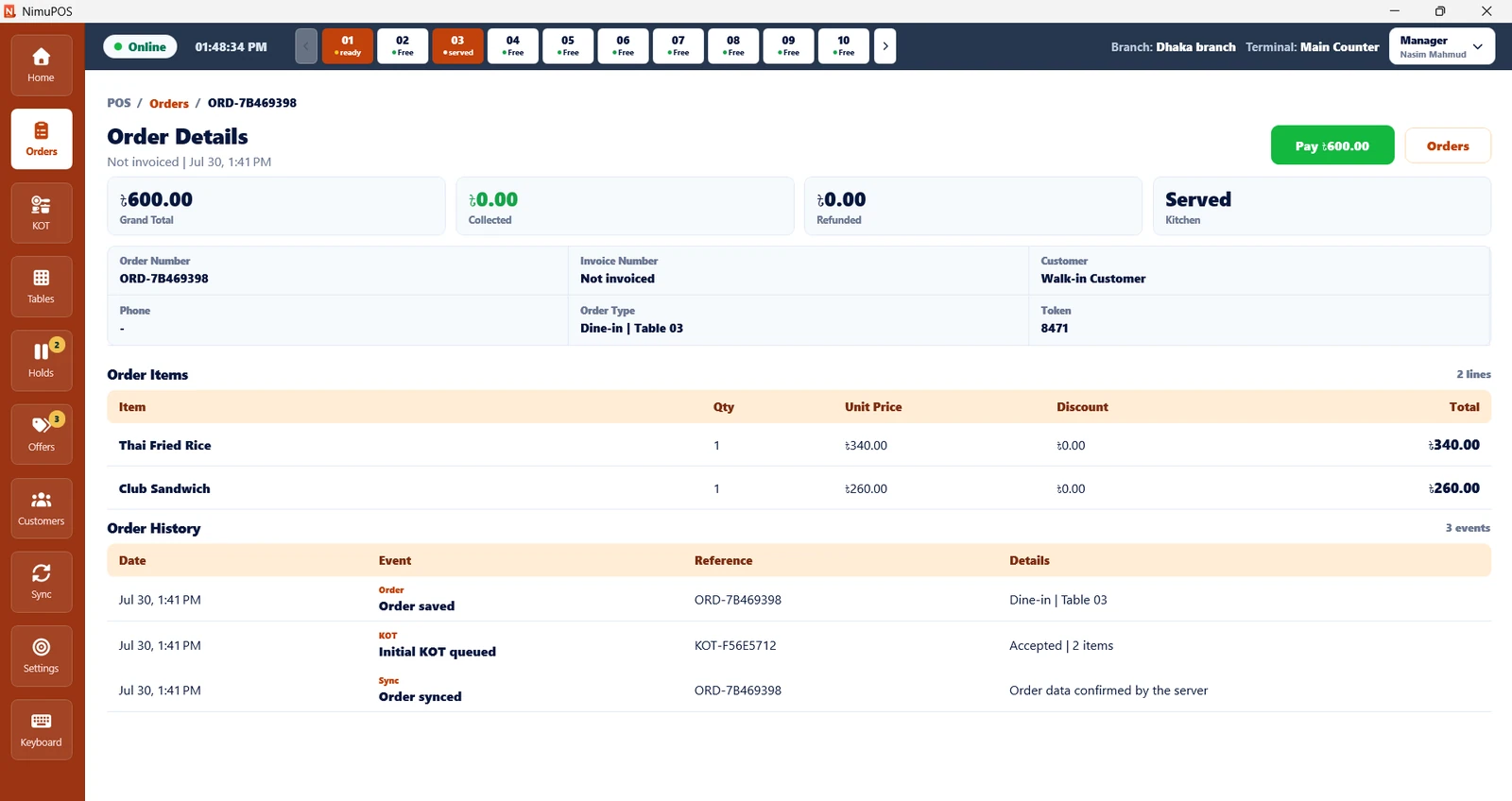
Open a complete order view with line items, paid and refunded totals, kitchen status and a chronological event history—giving authorized staff the context to correct mistakes responsibly.
Promotion engine
Create item, variant and combo promotions that are easy for staff to recognize and apply. NimuPOS shows the active benefit directly inside the selling flow.
Customer loyalty
Keep customer identity, contact information, order count, loyalty points and synchronization state in one clean directory that remains useful during offline operation.
Never rebuild a cart
When a guest needs more time, hold the cart, serve the next person and return later. Staff can review the date, customer, items and value before resuming or clearing.
Let the guest pay their way. NimuPOS keeps each payment action inside the same counter workflow and gives the cashier a clear total before completion.
NimuPOS pairs registered desktop terminals with secure cloud access and role-aware ERP controls. The result is a practical security model that protects operations without making everyday work difficult.
Scalable cloud infrastructure for centralized restaurant operations.
Give cashiers, managers and administrators the right level of control.
Connect branch and terminal identity to each operating device.
Use authenticated sessions and secure data transfer to the cloud.
Keep order and sync history available for operational review.
Local-first selling reduces dependence on a perfect internet connection.
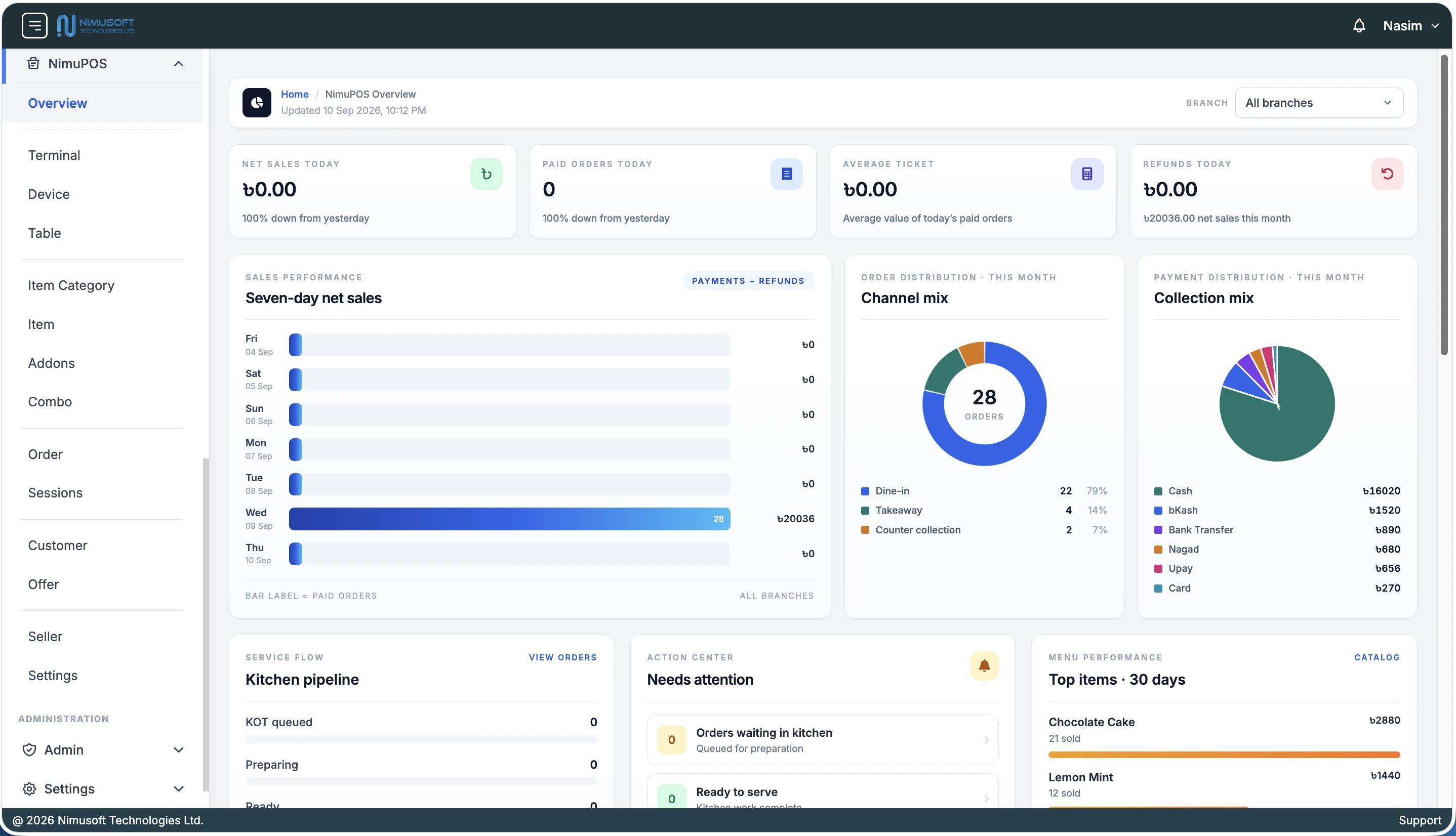
NimuPOS ERP is the central management system behind every desktop counter. Configure the selling environment, control daily operations, manage commercial data and turn synchronized POS activity into real-time KPIs, statistics and reports.
Managers work from one branch-aware platform while cashiers continue selling through the desktop POS. Configuration, master data, transactions and performance remain connected instead of being spread across separate tools.
Build and govern the operating structure used by every counter and employee.
Control exactly what the restaurant sells, how it is assembled and how it is promoted.
Manage the records created throughout restaurant service and customer engagement.
Turn operational records into branch-aware information managers can act on.
NimuPOS supports touch-first controls as well as keyboard and mouse operation. Deploy it on compatible Windows desktops or laptops without forcing a full counter hardware replacement.
Fast, clear controls for touch displays during busy service.
Dedicated keyboard access and familiar non-touch navigation.
A focused native-style workspace designed for counter operation.
Search items or scan supported barcodes from the checkout.
Validate your current setup and reuse compatible hardware.
Configure branches, terminals, menus, roles and workflows with our team.
Bring your current hardware details and restaurant workflow. We will show you the desktop POS, offline operation, automatic sync and cloud ERP in one focused demo.